
Why Become a Business Analyst in 2026: Top Reasons and Scope
Thu, 18 April 2024

Follow the stories of academics and their research expeditions
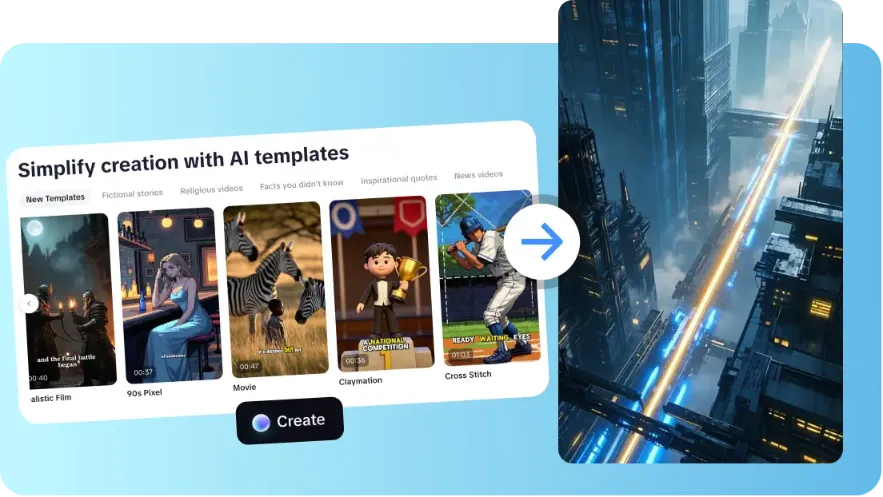
Video production has become an essential ability in content creators, and marketers as well as educators. Conventional video production may be time consuming and involves proper planning, shooting and editing. Templates make this process easier by offering pre-made arrangements that automatically arrange visuals, pacing, and transitions.
Using template-based workflows, even novices are capable of creating refined content without much technical expertise. CapCut provides an extensive library of templates that are used to simplify the process of creating videos with various applications. These templates save time and also provide a direction in the creative process that is consistent and professional in each clip.
They simplify intricate editing processes into a simple and easy to use experience.
CapCut provides more than 30 pre-programmed AI templates applicable in the fields of education, promotional information, updates, tutorials, etc. Every template is designed to automatically match the visuals, transitions, and pacing to your script or idea. This enables creators to concentrate on the story instead of technicalities.
AI-organized layouts are also used in templates to maximize the duration of the scenes and the visual flow to make the final video interesting to the viewer. Regardless of whether it is a short informational clip or a more long educational module, these templates eliminate guesswork and give a good starting point.
With the help of the library of CapCut, even untrained users can create quality content. AI video maker technology embedded within these templates enhances efficiency, transforming text or ideas into fully structured videos in minutes.
The selection of the appropriate template is determined by the kind of content that you intend to create. CapCut offers templates based on the subject such as news, tutorials, inspirational messages and personal updates. Customization features enable one to customize colors, fonts, captions, and even voices, and each video is aligned with the brand identity.
Templates are also compatible with other platform aspect ratios, so that content can be optimized to instagram reels, youtube shorts, or even widescreen. When visuals are well aligned with the narrative elements, it enhances the engagement as well as makes your message to the target audience resonate.
Software-free platforms such as CapCut make this process easier and provide versatility and professional appearance. Even more complicated tasks, such as branded learning modules or social media advertisements, can be handled with template instructions.
The AI support of CapCut can help improve the structure of the story by automatically modifying template scenes according to the text input. The AI is capable of creating topics, optimizing the story and scaling each scene to pacing and tone needs. Avatars also eliminate the necessity of shooting a lot, as they present digital presenters that exactly correspond to the script.
These avatars also have voiceovers and expressions, which produce a professional appearance on screen immediately. This aspect comes in handy especially when making educational or explanatory videos where resources on camera might be minimal.
Storyboarding with the support of AI enables the content to remain narrative and minimize the work required in the manual editing process. This would guarantee that even tricky video subjects can be delivered in a logical and captivating manner, sparing creators time and effort.
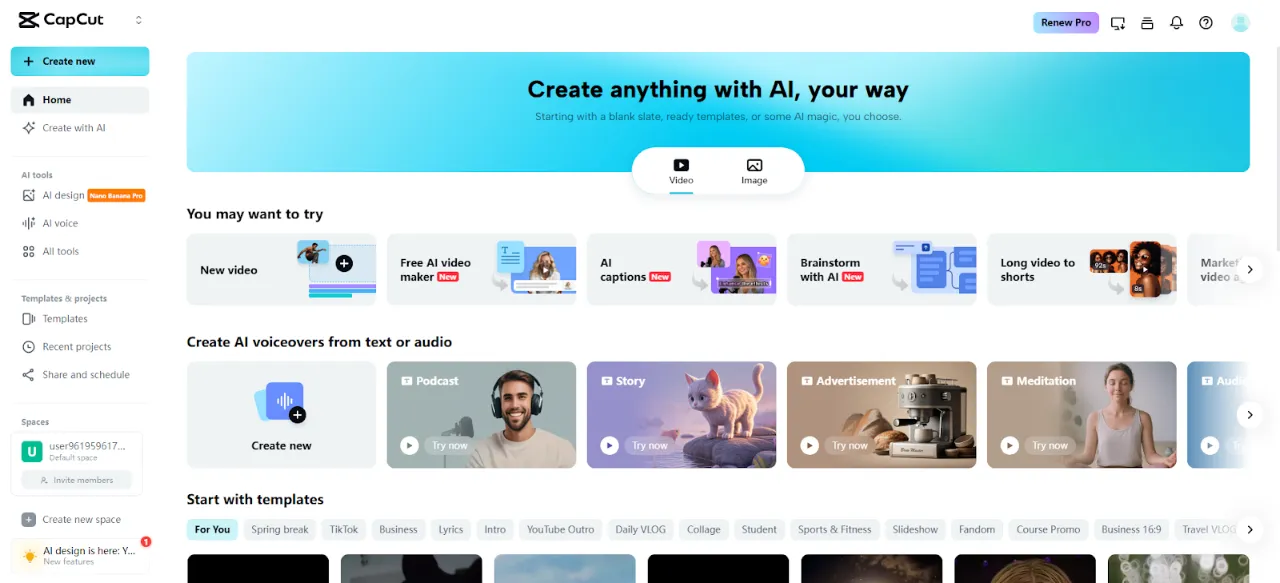
Begin by launching the CapCut online video editor and entering the main dashboard. Select the "Free AI video maker" option to access the template-ready tools. Then choose "Instant AI video" to work inside the automated storyboard system built for quick template-based generation.
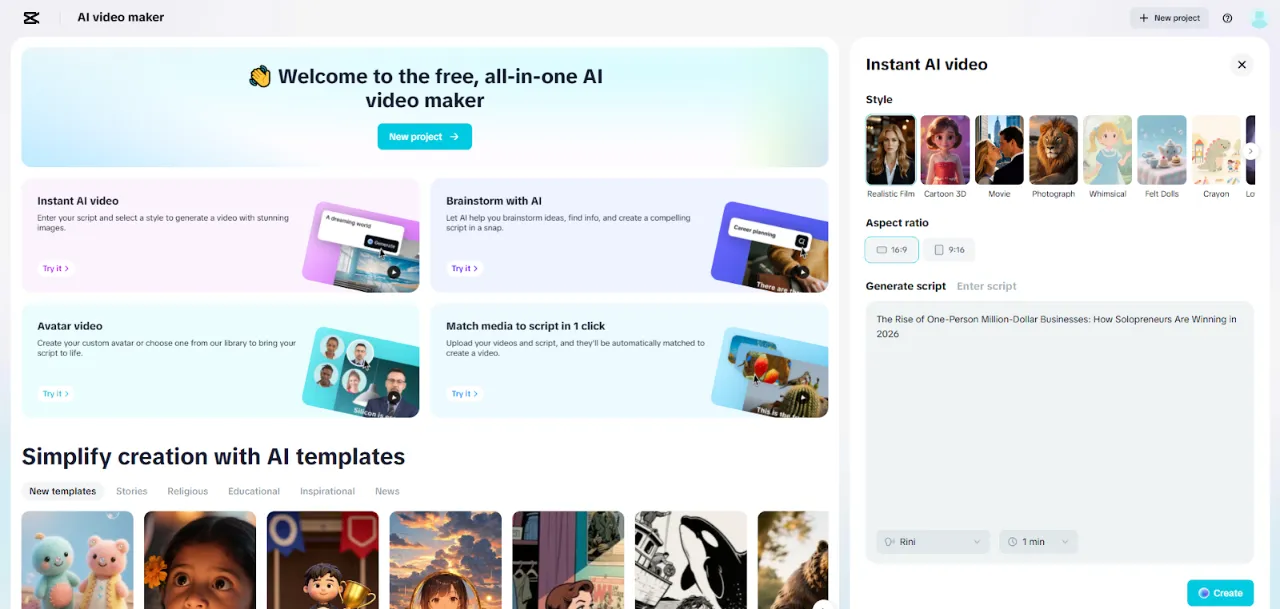
Pick a template-friendly style that aligns with your content goal. Add your idea into the "Enter script" box or tap "Generate script" to let the AI writer build a storyboard outline for you. Select the aspect ratio, whether it is 16:9 for landscape or 9:16 for vertical formats. Set the storyboard length, define the tone, and click "Create" to generate the structured visual layout.
Click "Create" to finalize the storyboard with visual cues. Add a suitable audio track through the "Music" panel and select matching captions inside "Elements".
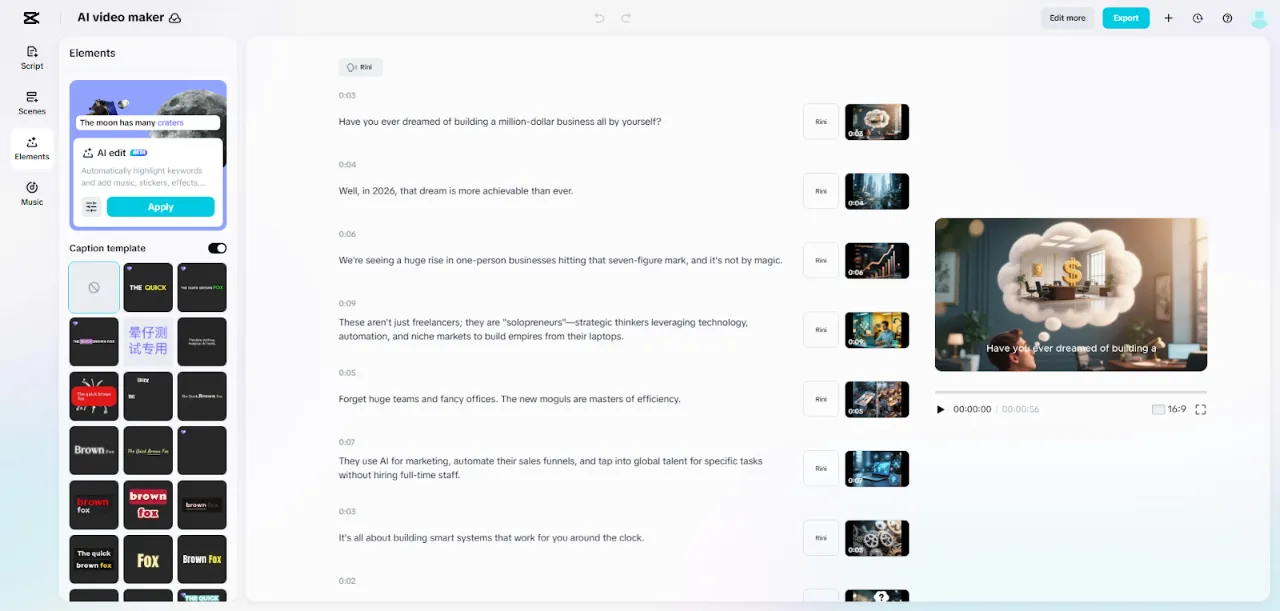
When captions are complete, click "Export" to choose output settings such as resolution, format, and frame rate. Click "Export" again to download the finished template-based clip.
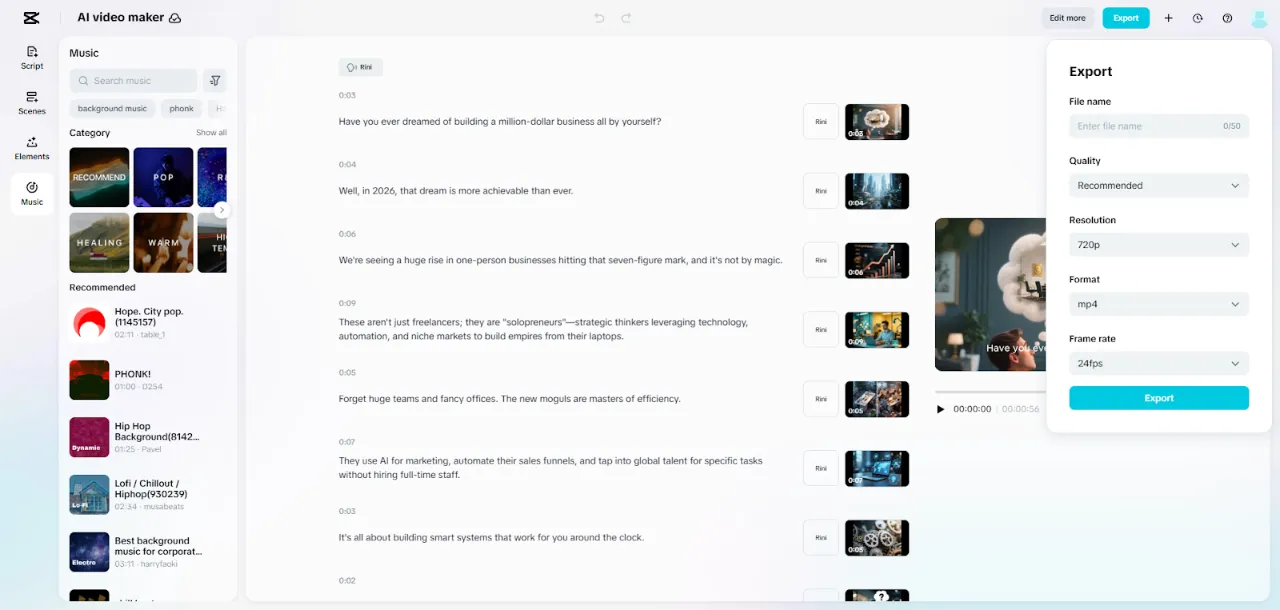
Templates can also be further customized without interfering with their structure. Any changes of scenes, stickers, transitions, or effects increase the interest, without distorting the layout. The consistency of voiceovers throughout the scenes is a guarantee of narrative uniformity and clarity.
CapCut helps these improvements flow perfectly, allowing creators to tailor each video to brand tone and message. Music choice, text animation and scene timing options are tools that provide flexibility.
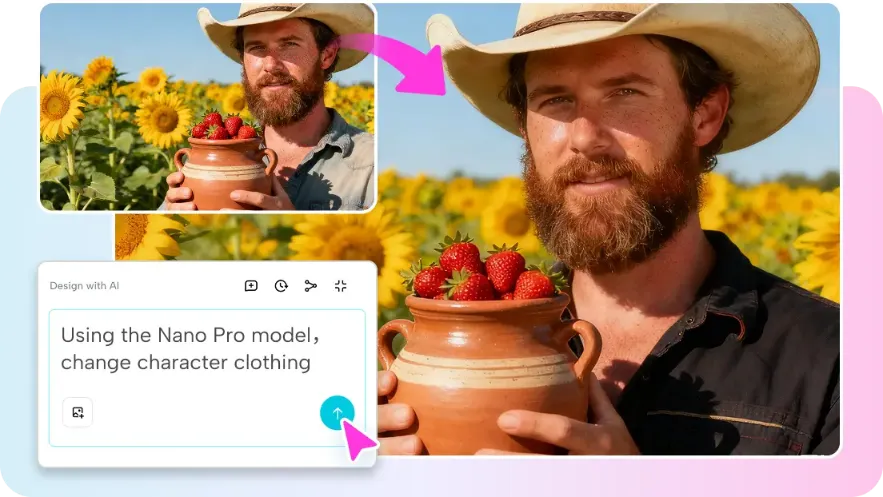
Platforms like Nano Banana Pro can also integrate with such AI-driven templates, offering additional creative assets and effects to elevate video quality without increasing production complexity. This makes sure that the end product is professionally presented and is attractive to the eye.
Videos based on templates are particularly effective with more compact content that requires rapid delivery. Examples are explainer videos to explain the process, event announcements to inform, motivational reels to inspire, and brief educational modules with online learning. Templates save on production time but still produce a high quality.
The social media marketers have the advantage of consistency in branding and pacing, and the educators are able to develop interesting lessons quicker than the methods of the traditional way. The flexibility of templates enables designers to experiment with content types, and tailor each video to a particular audience or platform.
CapCut automates repetitive editing procedures so that creators allocate additional time to the creative process, as opposed to the technical one.
The video creation through templates simplifies production and provides the results on a professional level. CapCut templates also minimize the complexity of editing, preserve visual consistency, and improve the clarity of narrative.
Ready-made structures can help to deliver content faster, be it marketing, education, or individual projects. The process is manageable and allows creativity by experimenting with various styles, themes, and customization options. The AI-based storyboarding, avatars, and template layouts will make it easier to create compelling videos.
The combination of user-friendly tools and professional templates enables creators to generate high-quality content that is platform ready with the help of few efforts. Template-based workflows liberate efficiency, creativity, and quality at the same time, and are a game-changer in the contemporary video production.
Thu, 18 April 2024
Tue, 16 April 2024
Wed, 26 February 2025

© 2026 Sprintzeal Americas Inc. - All Rights Reserved.

 USA : +1315-322-7821
 UK : +44 7700 174870
 IND : +919008230179
 AUS : +61 480 005 455
Leave a comment